
Fortune Gems 3 Download and APK Guide
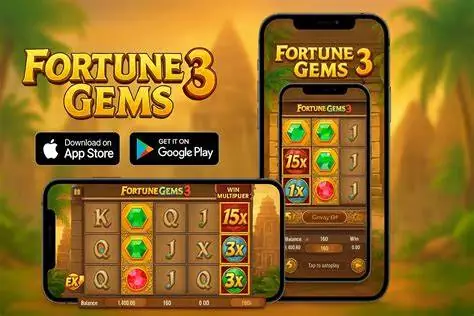
Looking for a Fortune Gems 3 download? At present, the official TaDa Gaming page does not list a standalone Fortune Gems 3 app or APK. It presents the game and its play options, but it does not offer a verified file to install on a phone. This matters because a web version, a casino app and an APK from an unknown site are three very different things. We explain the difference below so that readers in the Philippines can choose a safer route. To play with virtual credits, see our Fortune Gems 3 Demo page.
Can You Download Fortune Gems 3?
A search for Fortune Gems 3 download free can produce pages that make the game look like a separate mobile app. That does not establish that an official download exists. The more likely option is browser play through a compatible mobile browser, or access through a casino’s own app if that casino legitimately offers the game.
A casino app should not be confused with a Fortune Gems 3 app. It belongs to the operator, and its game catalogue, account rules and availability can change. We cannot confirm that a specific casino accepts players from the Philippines or carries this slot without current information from that operator.
Is There an Official Fortune Gems 3 APK?
The official TaDa Gaming product page does not currently verify a standalone Fortune Gems 3 download apk. A listing that uses the slot’s name, logo or artwork is not proof that it was published or approved by TaDa Gaming.
Be careful with any installation file offered through a mirror, file-sharing page or shortened link. Such pages can copy familiar branding while distributing unrelated software. For that reason, we do not recommend package names, download links or supposed version details that cannot be confirmed through a first-party source.
If an official standalone game app release becomes available, confirm the publisher through an official TaDa Gaming channel before installing it. Until then, a verified browser page is the more transparent option.
Play Through a Mobile Browser
When this website supplies a working game embed, open the page in an updated browser and allow the demo time to load. A stable connection is useful, particularly on mobile data. Turning the screen sideways may make the reels and information panel easier to read.
Some browsers offer an option to add a page to the home screen. That shortcut opens the website; it does not install Fortune Gems 3 as an app or provide offline play. If the game does not appear, check the page again later or review the host’s compatibility details.
Android and iPhone Access
The game may be accessible on both Android and iPhone through a browser, provided that the relevant host supports the device. Screen size, browser version, internet quality and host settings can all affect whether the game opens correctly.
We do not have verified evidence of an official iOS application, Google Play listing or Android package for this slot. Do not turn off your phone’s security features simply to install a file that claims to offer it. A recognised browser and a legitimate host are preferable to an unknown download.
Game Download vs Casino App
The phrase Fortune Gems 3 demo download is often used for different types of access. A browser demo runs online and normally uses virtual credits. A casino app is software from a gambling operator that may include an account area and, depending on its catalogue, selected games.
Neither arrangement means that Fortune Gems 3 has its own standalone app. A casino application may have its own deposits, verification process and real-money conditions, but those are set by the operator. They are not features of Fortune Gems 3 itself.
Check an APK Before Installing
If you encounter a file claiming to be the game, stop and check a few basics first:
Confirm the publisher and the verified source
Avoid mirrored pages, shortened links and unsolicited download prompts
Read the requested device permissions before granting them
Scan the file with your phone’s built-in security tools
Never enter casino login details in an app whose publisher you cannot verify
If the publisher cannot be confirmed, do not install the file. A supported browser route is a safer choice than gambling on an unknown APK.
FAQ
No. There is no verified standalone APK on the current official product page. A compatible browser version may be available through a host that carries the game.
Visit our Demo page for free-play guidance. Access can vary by browser, device and the implemented demo host.
Refresh the page, confirm that your connection is stable and update your browser. If the problem remains, check the host’s device-support information instead of downloading an unverified file.
Fortune Gems 3 content is intended for adults aged 21+ in the Philippines. Before using any real-money service, verify the host casino’s current rules, local eligibility requirements and responsible-gaming options.